Getting these errors when launching your LTI 1.3 app in Canvas LMS?
Error during LTI launch: Missing id_token or statelaunch_no_longer_valid – The launch has either expired or already been consumed
Here's how to fix it quickly.
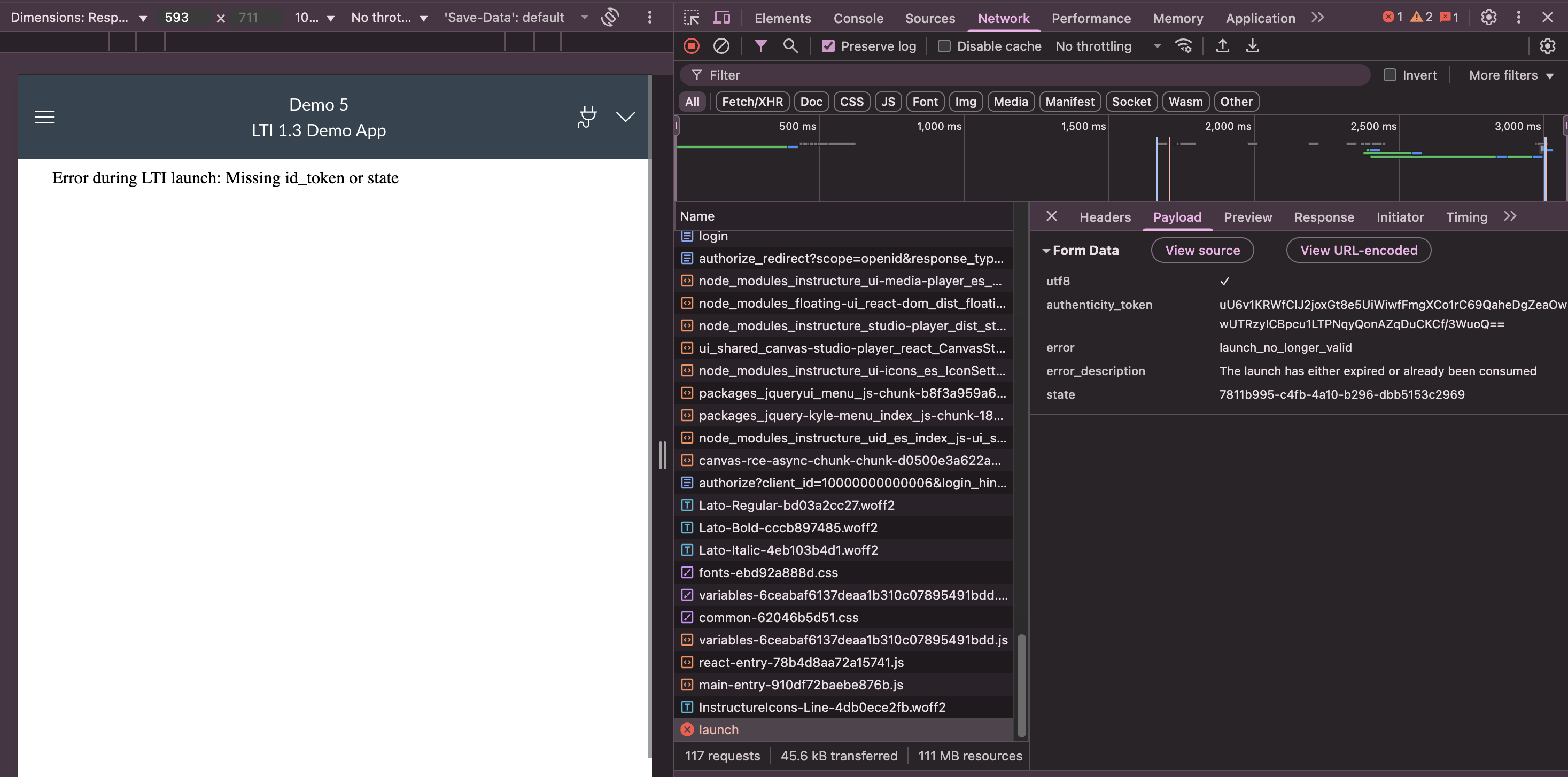
Why This Happens
These errors occur when Canvas LMS can't properly save or retrieve LTI launch data. This typically happens because Redis isn't configured correctly, since Canvas relies on Redis for caching LTI tokens and launch states.
Canvas ships with example configuration files by default:
config/cache_store.yml.exampleconfig/redis.yml.example
You need to create the actual configuration files with proper Redis settings.
The Fix: Configure Redis & Cache Settings
Create these two files in your Canvas config/ directory:
1. Create config/redis.yml
production:
  url: redis://localhost:6379

development:
  url: redis://localhost:6379

test:
  url: redis://localhost:6379
This file tells Canvas where to find your Redis server. The URL points to localhost on port 6379, which is Redis's default port.
2. Create config/cache_store.yml
production:
  cache_store: redis_cache_store

development:
  cache_store: redis_cache_store

test:
  cache_store: redis_cache_store
This file tells Canvas to use Redis as its caching system. The redis_cache_store setting enables Redis-based session and token storage that LTI launches need.
Verify Redis is Running
Make sure your Redis server is active:
# Check if Redis is responding
redis-cli ping # Should return: PONG
Restart Canvas LMS
After creating both files and confirming Redis is running:
# Development environment
bundle exec rails server
Test Your Fix
Navigate to Canvas LMS and try launching your LTI tool. The errors should be resolved and your tool should launch successfully.
Still Having Issues?
If you're still getting errors:
- Check Redis server logs
- Verify Canvas can connect to Redis in Rails console
- Ensure your LTI tool configuration is correct
Note: This fix applies to self-hosted Canvas LMS installations.
Conclusion
These LTI 1.3 launch errors are primarily caused by missing Redis configuration in Canvas LMS. By creating the proper redis.yml and cache_store.yml files and ensuring Redis is running, you enable Canvas to handle LTI authentication flows correctly.